Making Content
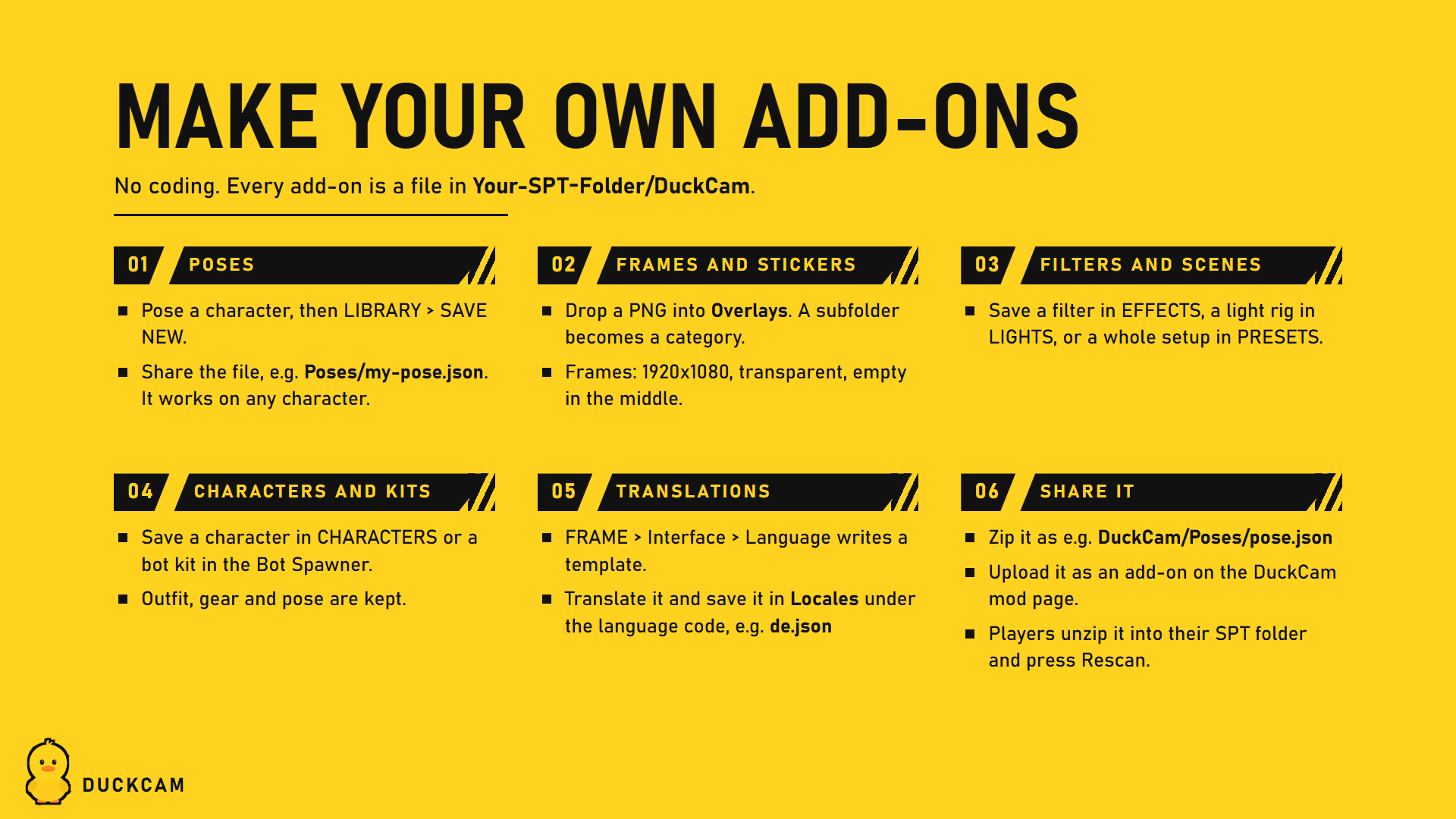
Everything DuckCam saves is a plain file in Your-SPT-Folder/DuckCam/, so it can be shared as a small zip. No coding, no Unity. Most of it you make inside DuckCam.
| You want to share | Folder in Your-SPT-Folder/DuckCam/ |
Made with |
|---|---|---|
| Frames and stickers | Overlays |
Any image editor |
| Poses | Poses |
Pose Mode or CHARACTERS |
| Colour filters | Filters |
EFFECTS |
| Scene presets | Presets |
PRESETS |
| Light rigs | LightRigs |
LIGHTS |
| Camera paths and recordings | Paths |
PATHS |
| Animation timeline scenes | Scenes |
Animation timeline |
| Saved characters | Actors |
CHARACTERS |
| Bot kits | Kits |
Bot Spawner |
| Translations | Locales |
A text editor, see Translating |
Sharing
Zip the folder structure starting at DuckCam:
DuckCam/Overlays/Film Frames/35mm.png
DuckCam/Poses/Leaning On Wall.json
Your-SPT-Folder/DuckCam/..., then press the tab's Rescan button or restart the raid.
Frames and stickers
- PNG or JPG files in
Overlays. Files directly in the folder show under General; each subfolder becomes its own category. - Frames are stretched over the photo frame: transparent PNG at a screen aspect ratio, middle left empty.
- Stickers can be any size, with transparency around the shape.
- OVERLAYS > Overlay Folder > Rescan picks up new files.
Poses
- Freeze, add a character, open Pose Mode (Ctrl+P).
- Pose it, then SAVE NEW under LIBRARY (or CHARACTERS > Save Current Pose).
- Share
Poses/<name>.json.
Poses store bone rotations, so they work on any character: PMC, scav, boss or copy. They appear under Category > DuckCam.
Looks and setups
Filters, scene presets, light rigs, camera paths, timeline scenes, saved characters and bot kits are saved from their tab. Copy the files to share them. - Scene presets bring back the look, depth of field, frame, time, weather, decorations, flash, camera and lights. Camera and lights load in place on the same map. - Camera paths and timeline scenes are tied to the map they were made on. - Saved characters keep outfit, gear and pose. Gear is display-only.
Poses from your own mod (for mod authors)
DuckCam lists every Hideout mannequin (Gear Rack) pose the game knows. Poses another mod adds show up under Category > From Mods, marked [mod], with no extra work, the way choccy's Custom Mannequin Poses already do.
- Server side: add the pose to the game's mannequin pose customization like any Gear Rack pose mod does. Its
PoseNameis the key DuckCam uses. - Client side: have the animation loaded as an
AnimationClipnamed exactly thatPoseName. DuckCam finds it either way: - a static
IDictionary<string, AnimationClip>field in your BepInEx plugin (key = pose name), or - any loaded
AnimationClipwith that name.
The clip plays on the same mannequin rig the Hideout Gear Rack uses. Poses that hold a weapon should hold it in the right hand.